Creative tooling
vision -> tool -> reality.
I spend much of my working time solving the problems that arise when we try to turn a vision into reality. As a design systems maintainer, I build tokens to create a shared language, and help make sure that the vision in Figma becomes reality in code.
But the translation gap isn’t unique to UI design. How many designers have seen a beautiful brand book delivered as a PDF, full of polished examples, only to find that the PDF isn’t operational—and that the implementation doesn’t look nearly as good as the examples?
I’m not the only one who has spent time thinking about this challenge. Several years ago, I went to a talk by Rune Madsen, who introduced me to the idea of building tools rather than manuals.
I’ve also been inspired by Tim Rödenbröeker, whom I had the pleasure of meeting at PCD CPH in 2023. Since then, Tim has shared his journey away from traditional design tools. Something interesting happens to a designer’s creative expression when they build the tools they use.
As most designers know, tools tend to shape the work. That’s exactly why it’s exciting when designers get to design their own tools, too.
One of my favourite talks at Hatch this year was “Why Designers Should Build Their Own Tools” by Jonny Burch. He points out that designers have spent many years working in the same handful of tools—from Photoshop and Sketch to Figma—while developers have had a much larger ecosystem of tools to choose from and combine.
Now it’s easier for designers to experiment with their own tools and workflows. That doesn’t mean everyone needs to build their own Figma. It means the tools can be better suited to the task and to the way we work. Burch suggests asking questions such as: “Does this feel good in my hand?” and “Can I design well with it?” It’s about moving beyond simply mastering the tools we’re given and learning to invent new ones.
The barrier has been lowered
AI has lowered the barrier to building our own tools. You no longer need to be fluent in code to get started—and you can use an agent both to write code and to explain how it works. That doesn’t make technical understanding irrelevant. But it does make it easier to test an idea, discover what’s possible, and build on what works.
This is where AI gets interesting to me: not just as something that can produce a finished design, but as a way to build tools that help us get to the design we want.
“...maybe think slightly differently about AI taking over these roles. It's less about what the AI itself can produce than it is about AI producing the tools that allow you to produce the thing that you're trying to get to. And that is a bit of a slightly different mental model, but one that I'm very excited to continue building with.”
— Tom Harman, Mostly Working, episode 19, “Big News. Near Future Is Now Mostly Working. Why We're Changing, a Summit at Monzo, and Building a Brand with Claude,” 2 October 2026. Listen on Apple Podcasts
That’s got me thinking about creative tooling—and about how we can use these new possibilities both to strengthen designers’ work and to make the brand easier for others to use.
Creative tooling
For the past six months or so, I’ve been exploring the idea of creative tooling, inspired by developer tooling. With the new possibilities AI offers, a company like TV 2 needs to figure out how to use AI well—not only to make designers more effective, but also to empower the non-designers who help create the brand and the user experience every day.
I think of creative tools as falling into two broad categories:
- Creativity-enabling tools enable creative people to be creative.
- Brand-delivery tools help bring creative visions to life.
Code ⇄ Figma
For example, I’ve built a proof of concept using two skills: send2figma and frontend-implementation. The idea is to make it easy to bring existing code into Figma so I can keep designing from there.
I know I could just prompt an agent, but text isn’t the most natural tool for me when I’m designing. I prefer to draw as a way of communicating—even with agents. send2figma turns the coded design into a Figma frame and uses the correct variables and so on.
Once I’ve refined the design, I can send it back using frontend-implementation. I’ve specifically instructed it to treat my Figma design as a draft. If I’ve missed a variable or used a fixed pixel value, it should follow our ui-guidelines.md instead. It should prioritise responsive grid rules over fixed Figma dimensions.
This means I can draw more freely in Figma and fine-tune the last few pixels in code. For me, that creates a workflow where I can prompt less, draw more freely, and finish the design directly in code. It feels less cumbersome than getting caught up in Figma’s Auto Layout, while still letting me test the design in code against edge cases and different screen sizes.
Brand-delivery tools
VS Graphic Generator
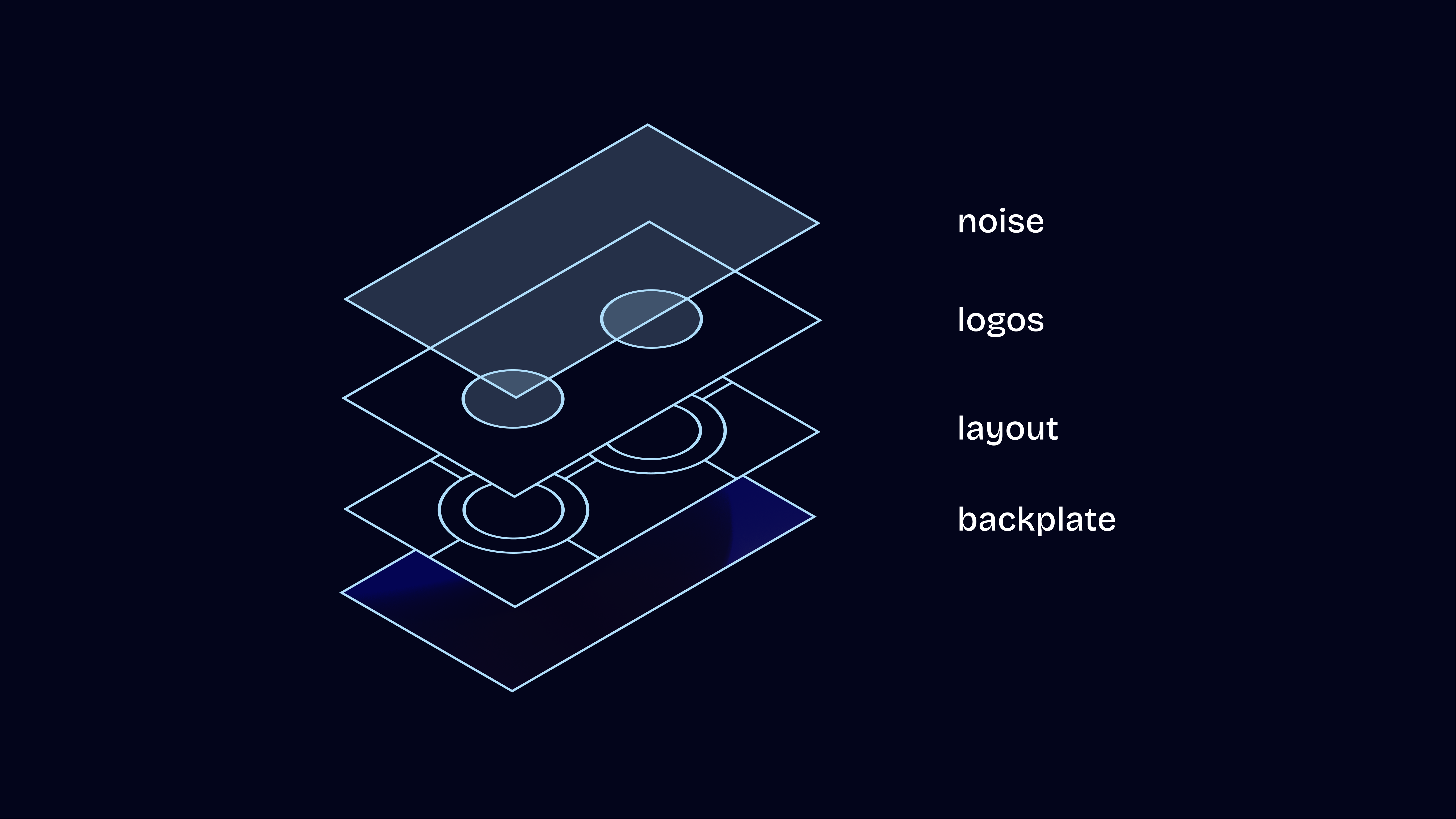
Each graphic is built from layers and generated automatically from our sports API.
The generator reduces human error—outdated logos, typos, or incorrect match setups—makes asset management easier by updating logos through a centralised API, and saves time with automatically generated graphics and batch exports.
At the same time, it helps us create the visual expression we’re aiming for.
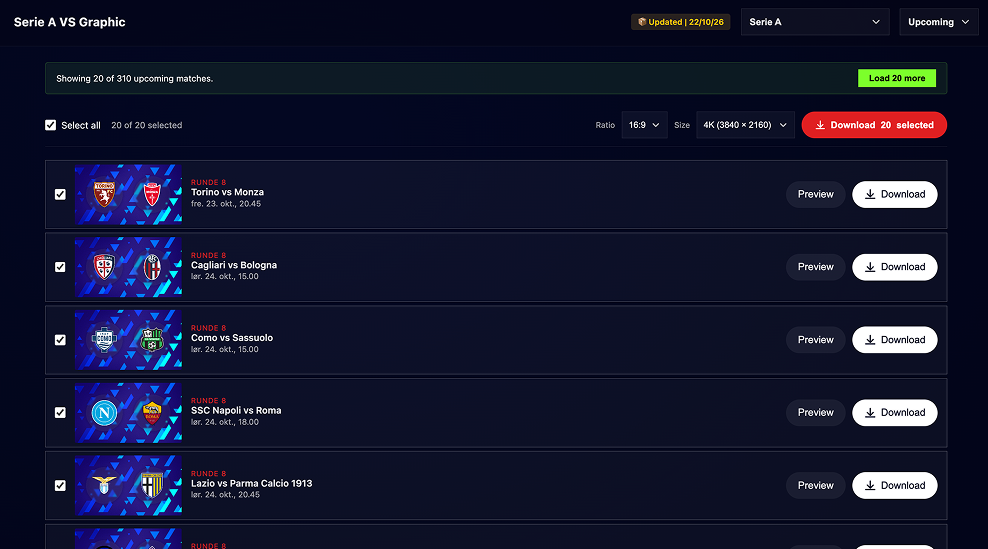
SoMe Generator
The VS generator was driven by the fact that we already had an API that could make the task much easier. For the SoMe generator, we can also reuse information from our news site. But part of my motivation was simply to simplify a workflow.
By creating a custom tool instead of using Figma, we can expose only the controls we want people to use. This makes the tool simpler and the visual output more consistent. The idea isn’t to stop designers from being creative; it’s to help non-design staff who need to use design templates.
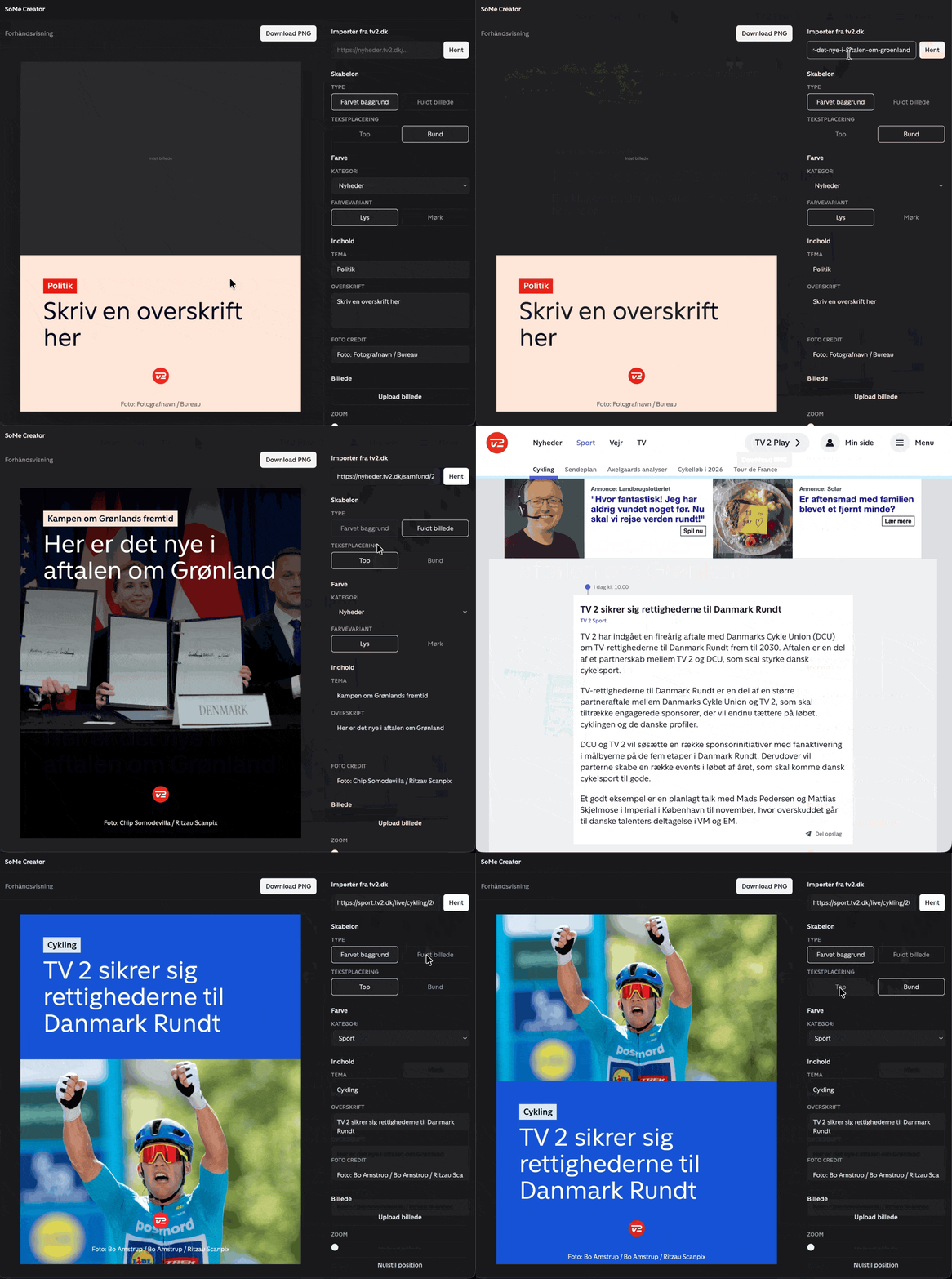
These tools don’t make designers redundant, and they don’t remove the need for good design principles. They help make those principles useful—in a workflow, an interface, or an asset that needs to go out into the world.
For me, creative tooling is about getting closer to the vision—and building tools that help more people bring it to life. AI makes it easier to get started. The rest is still about deciding what’s worth building, and for whom.
Happy building.